JnK Plugins
Duplicate Internal Links in One Post: Harmful? How to Fix
You install an auto-linker, set up a few keyword rules, open a post and there it is: the same page linked three times in five paragraphs. One user put it plainly in a support thread titled “duplicate links”: the plugin “adds 2-3 or more links to the same page”. Another, on a different linker, found posts with outgoing links “well above their set limit”.
So two questions. Is it actually hurting you? And how do you clean it up and stop it from coming back?
Short answers: probably not in the way you fear, and yes, it’s worth fixing anyway. Here’s why, and how.
Is linking the same page twice in one post bad for SEO?
There’s no Google penalty for it. When someone asked John Mueller what happens with two links to the same page using different anchor text, his reply (reported by Search Engine Roundtable, February 2021) was: “Nothing special would happen. They’re normal links. Why would it be spammy?”
Then there’s the old “first link counts” idea. The theory says that when a page links to the same URL twice, Google only uses the anchor text of the first link, so your second, better anchor is wasted. It’s been argued about for over a decade. Mueller pushed back on the simple version in a 2021 hangout: “I wouldn’t kind of make the assumption that we just naively take the first one on a page and just only use that.” (source). Some SEOs have run tests suggesting Google records only one or two anchors per target, so it’s fair to say nobody outside Google knows the exact rule.
What we can say with confidence:
- A second link to the same page is not a penalty.
- It probably doesn’t add much either. Whatever value one link passes, a second identical link isn’t doubling it.
- The real cost lands on readers.
And that last point is the one that matters. Three links to the same page in one post looks like keyword stuffing, even when it isn’t. Readers who click the first one and come back hit the same blue text again two paragraphs down. It clutters the post and makes every other link easier to ignore. If your post is about cooking and “olive oil” is underlined four times, it reads like an ad.
So treat this as a quality fix, not an SEO emergency. If you want the bigger picture on link counts per post (a related but separate question), we covered that in how many internal links per post.
How duplicate links end up in one post
It’s rarely one bug. Usually it’s a few reasonable settings stacking up.
- The rule has no per-post cap. Some auto-linkers link every match by default, or let you set a cap that doesn’t get applied the way you expect. A keyword that appears six times gets six links.
- You already linked it by hand. You wrote “see our pricing guide” with a manual link in paragraph two. The auto-link rule for “pricing” doesn’t know about it and adds another one in paragraph seven.
- Synonyms. You made rules for “email marketing”, “newsletter” and “email list”, all pointing to the same guide. Each rule respects its own limit of one link, so the post ends up with three.
- Two rules, one target. Same problem from another angle. Rules get added months apart, often by different people, and nobody checks what already points where.
- Page builders and widgets. A builder section, a reusable block or a “related posts” box might link to the page too. Those links sit outside the post text, so they’re easy to forget when you count.
Knowing which of these you have tells you which setting to change. If it’s number 3 or 4, raising or lowering a per-post cap won’t help at all.
How to find duplicate links by hand
One post at a time: the browser
Check the live page, not the editor. Many auto-linkers add their links when the page is displayed, so the editor never shows them. Open the published post, then either:
- Press
Ctrl+U(Cmd+Option+Uon a Mac) to view the source and search it withCtrl+Ffor the target page’s slug. Count the hits inside the article body. - Or open the browser console (
F12, Console tab) and paste this. It lists every URL linked more than once inside the article:
const counts = {};
document.querySelectorAll('article a[href]').forEach(a => {
  const url = a.href.split('#')[0];
  counts[url] = (counts[url] || 0) + 1;
});
console.table(Object.entries(counts).filter(([url, n]) => n > 1));
One caveat: article may also include your theme’s author box, tags or related posts, depending on the theme. If you see links you didn’t write, swap article for your theme’s content wrapper (often .entry-content).
The whole site: a crawler
For more than a handful of posts, a crawler saves a lot of clicking. In Screaming Frog’s SEO Spider, select a target URL in the top window and open the Inlinks tab in the lower pane. It lists the pages that link to it, with the anchor text. Filter the link type to Hyperlink so you only see real anchor links. When the same source page appears more than once for one target, that’s a duplicate. You can also export inlinks in bulk and sort by source and destination in a spreadsheet, which is the faster way on a big site.
If you mostly want to know who links to a given page, we have a separate walkthrough on finding which posts link to a page in WordPress.
How to fix them
The fix is simple: keep one link, unlink the rest.
- Keep the most useful one, usually the first. The first mention is where a reader is most likely to want the detour. If a later anchor is clearly more descriptive (“our step-by-step pricing guide” beats “here”), keep that one instead. Good anchor text matters more than position; there’s more on that in our anchor text guide.
- Unlink, don’t delete. Leave the words in the sentence, just remove the link.
- Fix the source, not just the post. If an auto-link rule caused it, editing the post won’t help when the link is added at display time. It’ll come back. Change the rule.
Settings to check in your auto-linker
Every auto-linker names these differently, so check your own plugin’s settings screen rather than trusting a blog post (this one included) on exact labels. What you’re looking for:
- A maximum links per post, per rule or globally. Set it to 1 for most rules.
- Whether it skips pages already linked in the post, including links you added by hand. This is the setting that fixes causes 2 to 4 above, and not every plugin has it.
- A site-wide cap, so one rule doesn’t plaster the same link across hundreds of posts.
- Whether links are written into the post or added on display. This decides whether you clean up in the editor or in the rule.
Then test. Pick a post where the keyword appears several times, check the front end with the console snippet above, and confirm you get one link. If the plugin ignores its own cap (the complaint in more than one support thread), report it to the developer with the post URL and the rule.
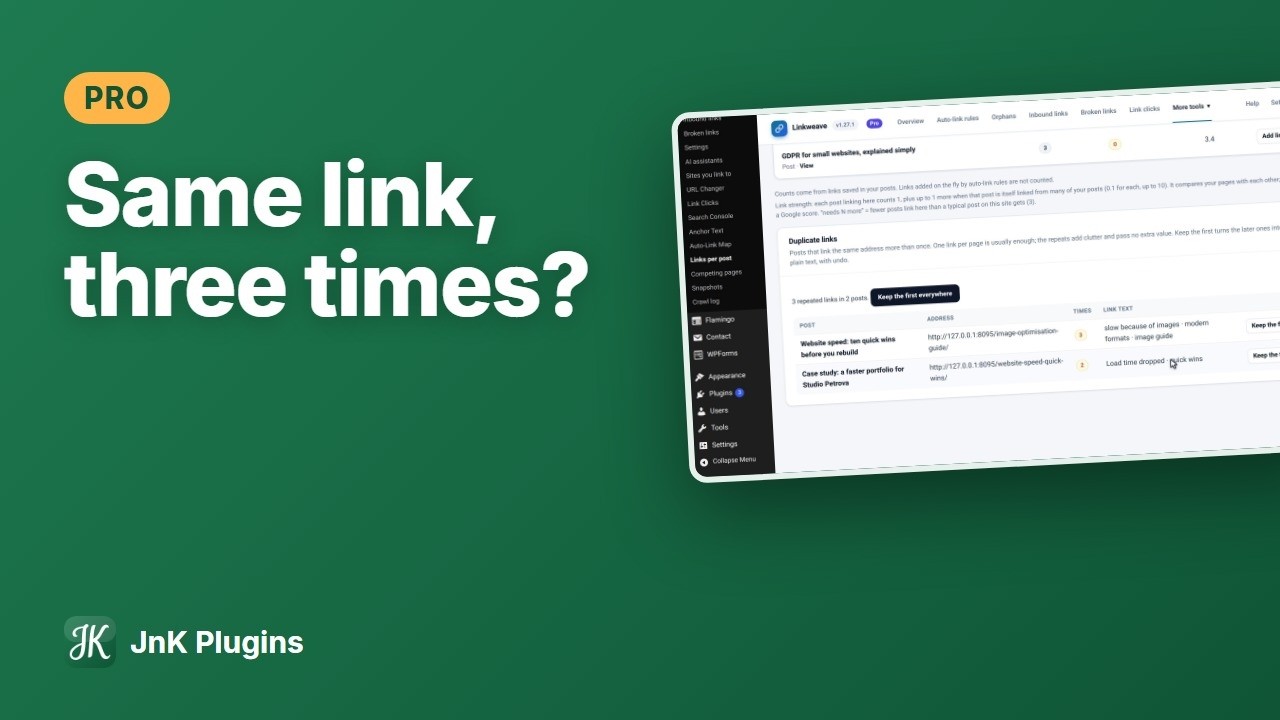
One option: JnK Linkweave
Honest limit: the free version stops new duplicates from rules, but it doesn’t list the duplicate links you already typed by hand. For those, the browser and crawler checks above still apply. It’s a free download from our site if you want to try it.
Frequently asked questions
Does Google penalize multiple links to the same page in one post?
No. Google’s John Mueller has said multiple links to the same page are normal links and nothing special happens. The bigger cost is to readers, because repeated links look cluttered and spammy.
Does Google only count the first link’s anchor text?
Nobody outside Google knows for sure. The “first link counts” idea is an old theory, and John Mueller said in 2021 that you shouldn’t assume Google naively takes the first link and only uses that. Pick the most descriptive anchor and keep one link.
Why do I still see duplicate links after I removed them in the editor?
Your auto-linker probably adds links when the page is displayed, so they never appear in the editor. Change the rule’s per-post limit or turn on its option to skip pages already linked, then check the live page again.