Build contact forms, sign-ups and surveys by dragging fields in. Every entry is saved in WordPress before the email goes out, so if the email fails or lands in spam, the message is still there. No limit on forms or entries.


Real screens from the plugin, on a demo site.
Trinity Forms brings your CF7 forms over and runs on PHP 8.2 and newer.
Read the fix →
Every entry is saved anyway, and the entry says why the email failed.
Read the fix →
Send a copy to the email they typed in, plus Cc and Bcc.
Read the fix →
Spam is kept, with the reason it was caught. Put it back and resend.
Read the fix →
It fetches a fresh security token, so cached pages still send.
Read the fix →
"Department is Sales" goes to sales, the rest to you.
Read the fix →
One per person, close after a number of entries, start and end dates.
Read the fix →
A logged-in user sees their own entries on any page.
Read the fix →
The default form passes an automated WCAG 2.2 AA check.
Read the fix →
32 field types and 13 starter templates. Prefer the block editor? Your forms open there too.
Ask "Which department?" and show only the questions that fit. No limit on rules or steps.
Search, star and add notes. Export to CSV or Excel with the columns you pick.
A test button, the reason on the entry, and a warning on your dashboard.
Honeypot, time check, Turnstile, reCAPTCHA or hCaptcha. Nothing real is thrown away.
Voters see live results. Quizzes are scored, and surveys get a results report.
Take payments with Stripe, PayPal, Mollie, Square or Authorize.Net, with no cut from us. Send entries to Mailchimp, Google Sheets, Zapier and 12 more. Popups, bookings, signatures and more. If you stop paying for Pro, your forms keep working. All features
Download the zip, then in WordPress go to Plugins, Add New, Upload Plugin. No licence key to type.
Pick one of 13 templates, or bring your forms over from Contact Form 7 and 9 other form plugins.
One click makes a page with the form on it. New entries show up under Entries.
A narrated walkthrough of the free and Pro features, on real screens, with chapters.

Prefer YouTube? Watch it there instead.
Not mockups. Pick a tab, or just keep scrolling.
The problem: You need a form today, not a weekend spent learning a builder.
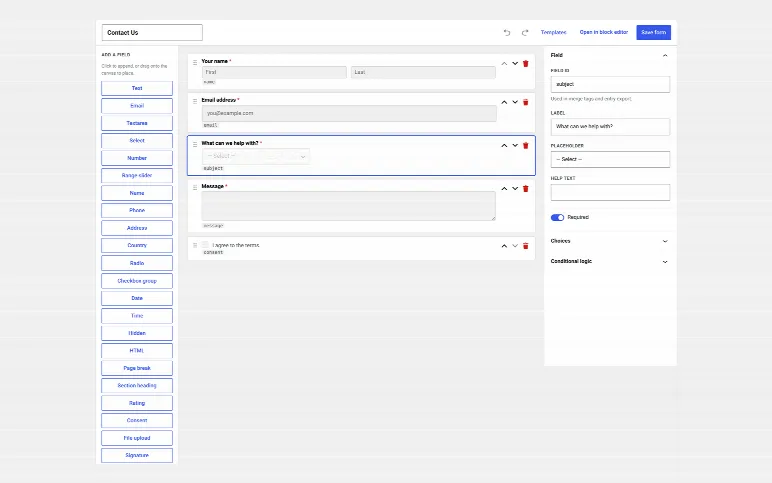
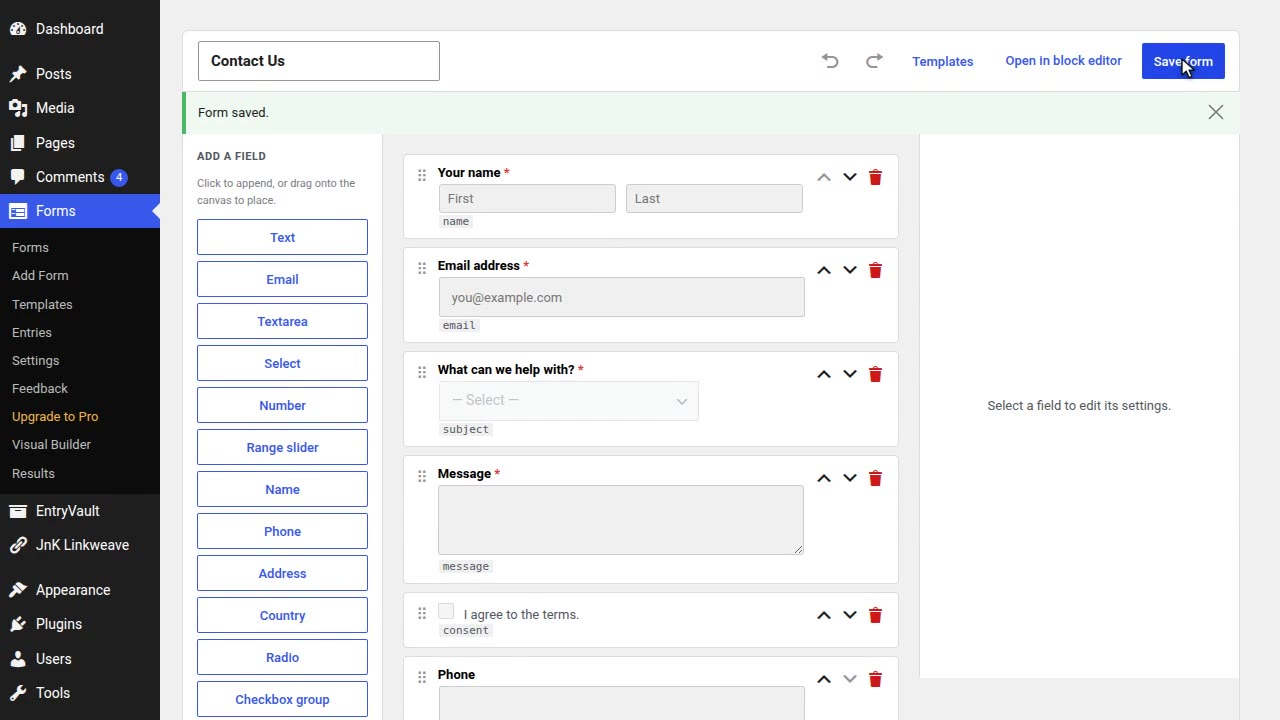
Add fields from the left, set them up on the right, and see the form the way visitors will.

The Visual Builder: add fields from the left, set them up on the right, and see the form as visitors will.
The problem: A blank form takes longer to get right than it should.
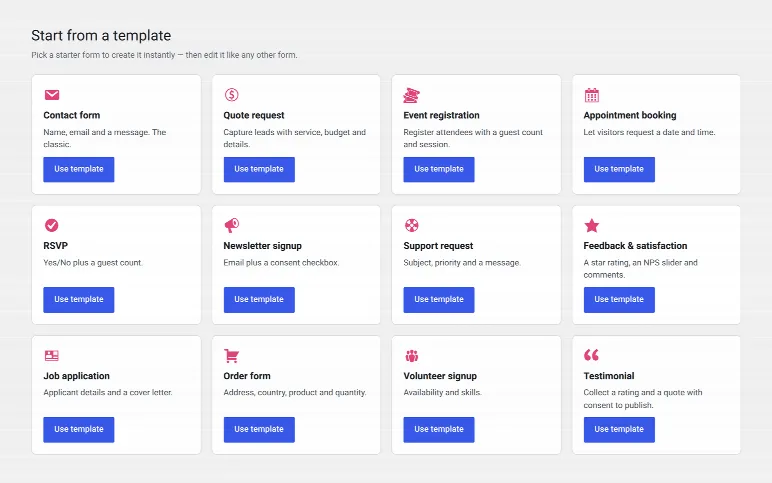
Contact, quote, booking, RSVP, job application, order form, quick poll and more.

Thirteen ready-made templates: contact, quote, booking, RSVP, job application, order form, quick poll and more.
The problem: The email is your only copy of what people sent, until one goes missing.
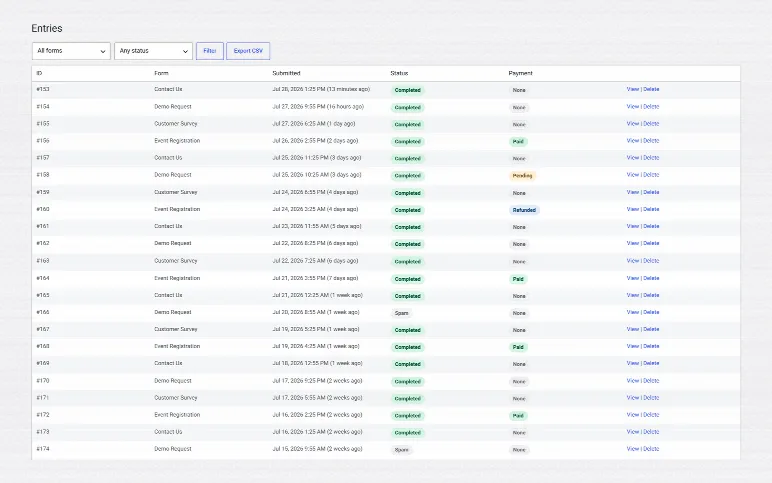
Everything people send is saved in your own database, easy to filter, search and export.

Entries: everything people send, kept in your own database, easy to filter, search and export.
The problem: You can't tell where an entry came from or whether the email ever went out.
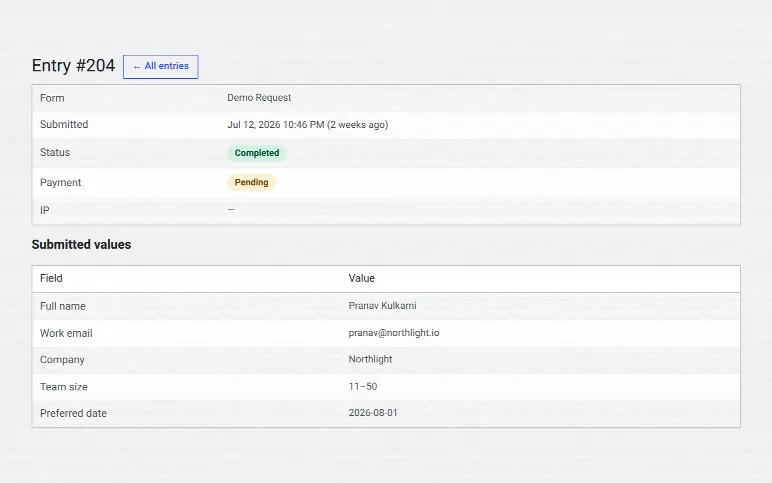
Every answer, private team notes, where it came from, and what happened to it.

One entry: every answer, private team notes, the details of where it came from, and what happened to it.
The problem: Form settings spread over many screens are easy to miss.
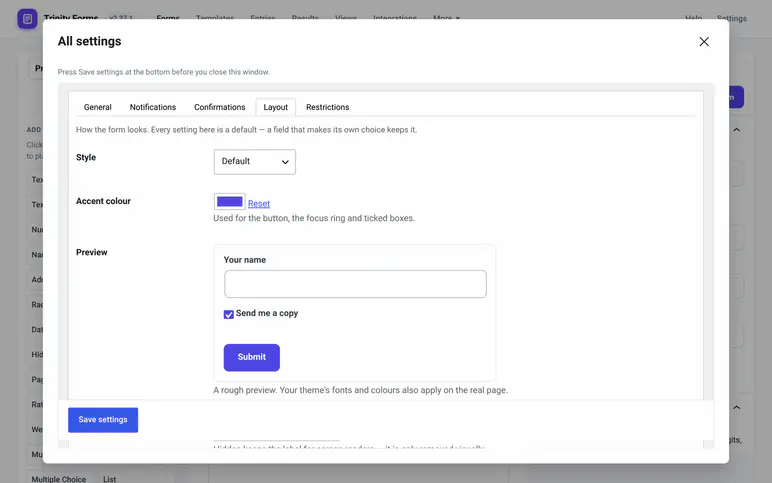
From emails and confirmations to layout and restrictions, inside the Visual Builder.

All settings: every setting of a form in one window inside the Visual Builder, from emails and confirmations to layout and restrictions.
The problem: A quick poll usually means installing yet another plugin.
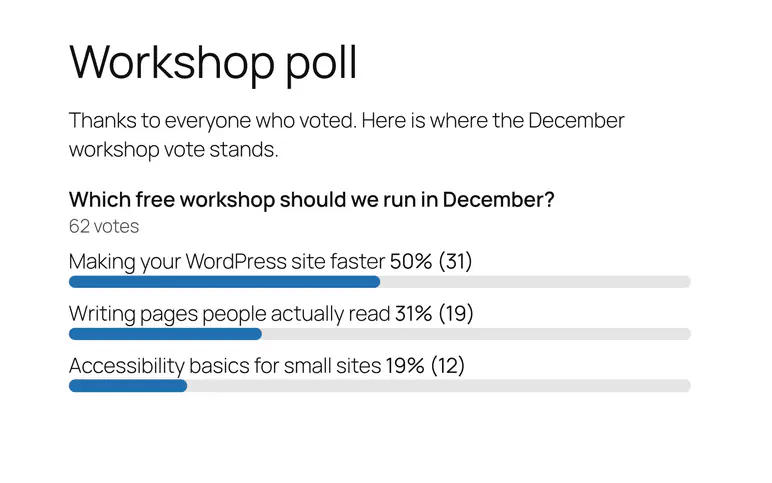
After a vote, people see the results as bars with percentages and counts.

Poll mode: after a vote, people see the results as bars with percentages and counts. Show them on any page with a shortcode or block.
The problem: Nobody can click a link printed on paper.
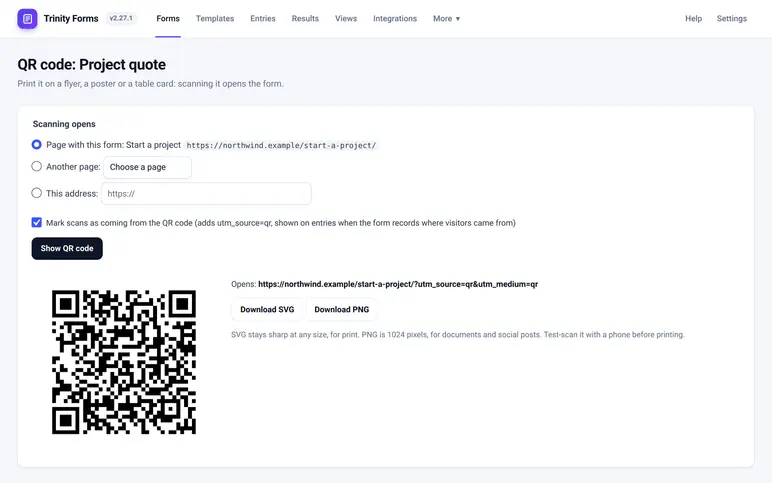
Made on your own site. Print it on a flyer or a table card, and scanning it opens the form.

A QR code for any form, made on your own site: print it on a flyer or a table card and scanning it opens the form.
The problem: Copying entries into your email tool or spreadsheet by hand.
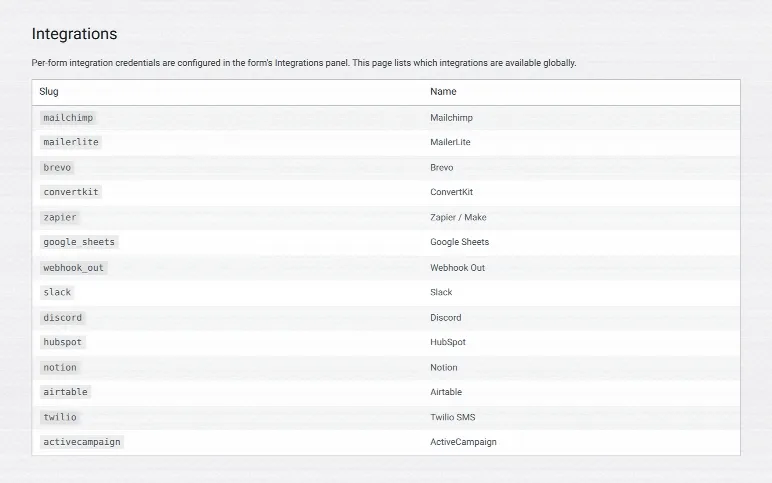
Send entries on to your email tool, CRM, team chat, spreadsheet or automation service.

Integrations: send entries on to your email tool, CRM, team chat, spreadsheet or automation service.
| What you get | Free Direct download |
Pro from |
|---|---|---|
| Unlimited forms, fields and entries | ✓ | ✓ |
| Drag-and-drop builder, 32 field types, 13 templates | ✓ | ✓ |
| Conditional logic: show or hide questions based on answers | ✓ | ✓ |
| Entries saved in WordPress, CSV and Excel export | ✓ | ✓ |
| Test email, failed-email reason, dashboard warning | ✓ | ✓ |
| Bring forms over from Contact Form 7 and 9 others | ✓ | ✓ |
| Payments: Stripe, PayPal, Mollie, Square, Authorize.Net | — | ✓ |
| Mailchimp, Google Sheets, Zapier and more | — | ✓ |
Upgrading installs Pro over the free version. Your forms and entries stay. See every feature
Yes. No limit on forms or entries, and no account to make.
Yes. Your CF7 forms come over. Contact Form 7 never saved entries, so there are none to bring.
Every entry that reaches your site is saved first. Trinity Forms then tells you why the email failed. It doesn't deliver mail itself, so if emails keep failing, add an SMTP plugin.
Your forms keep taking entries and sending emails, and payment forms keep taking payments. You just can't add new Pro features until you renew.
Not right now. It's a direct download from us and updates from your WordPress dashboard.
JnK Plugins is small. When you email support, I read it, and I'm usually the one who fixes it. Email me a question
The free version is a direct download from us: the full builder, every entry kept, and a warning when email fails. Pro starts at $29 $21.75/year for 3 sites and adds payments and integrations.
Comparing builders? Read our hands-on write-ups: Contact Form 7 alternative · WPForms vs CF7 · Gravity Forms vs CF7 · the best form builder plugins
25 releases so far, each listed with its date. See what changed
Occasional posts on WordPress internal linking, forms and entry management — plus release notes. No sequences, no upsell drip, unsubscribe in one click. We send one email to confirm it is really you.
We store your address ourselves and never sell or share it. Privacy.