JnK Plugins
How to Export Gravity Forms Entries (3 Ways, 2026)
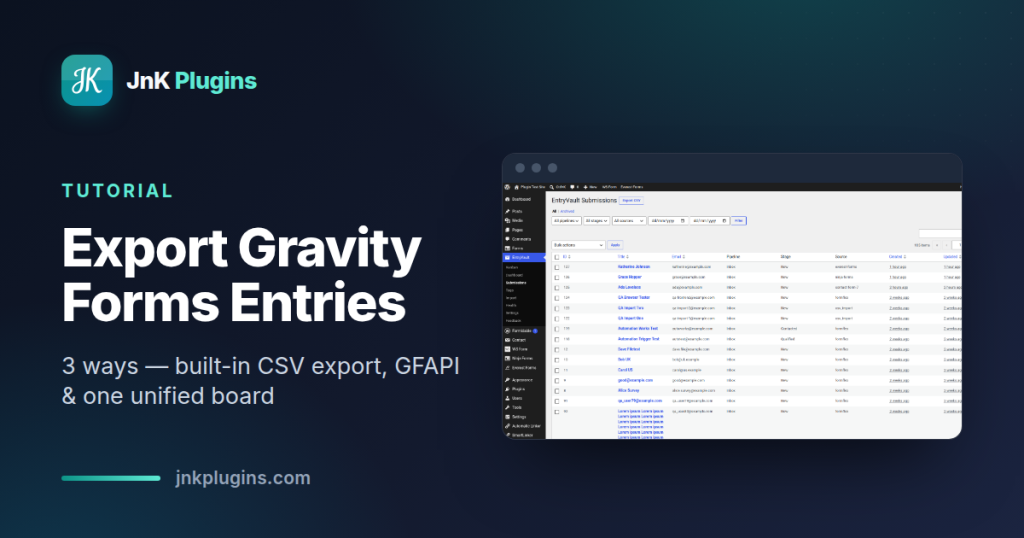
Gravity Forms stores every submission in your WordPress database — which is great, right up until someone asks you for the data outside WordPress. A spreadsheet for the sales team, a list for your email tool, a backup before a migration: sooner or later you need to export Gravity Forms entries to a file.
The good news is that Gravity Forms ships with a perfectly serviceable CSV export built in, and there are two other routes worth knowing when the built-in one runs out of road. This guide walks through all three honestly: the native export (free with your license), programmatic and add-on options, and a unified-inbox approach using our own free EntryVault plugin — disclosure up front, more on that below. If you’re comparing exports across form plugins generally, our umbrella guide to storing and exporting WordPress form entries covers the wider landscape.
Method 1: Gravity Forms’ built-in export (free with your license)
Gravity Forms includes a native CSV export, and for one-off, single-form exports it’s the right tool. Here’s the exact flow in the current version:
Step 1 — Open the export screen
In your WordPress admin, go to Forms → Import/Export. The screen opens on the Export Entries tab by default (the other tabs handle exporting and importing form definitions, which is a different job — don’t mix them up).
Step 2 — Select a form
Pick the form you want from the Select A Form dropdown. This is the first limitation worth noting: the export works on one form at a time. There’s no “all forms” option — we’ll come back to that.
Step 3 — Choose the fields to export
Once a form is selected, a Select Fields checklist appears with every field on that form plus entry metadata (Entry ID, Entry Date, User IP, Payment Status, and so on). Tick only what you need — a lean export is far easier to work with in a spreadsheet than forty columns of everything.
Step 4 — Filter with conditional logic and a date range
Two optional filters sit below the field list. Conditional Logic lets you export only entries matching rules you define — say, entries where Payment Status is Paid, or where a dropdown equals a certain value, or starred entries only. The date range fields limit the export to entries submitted between two dates. Both are genuinely useful for pulling “last month’s leads” rather than the whole table.
Step 5 — Download the file
Click Download Export File. Gravity Forms builds the CSV (large forms can take a moment — it processes in batches) and your browser downloads it. One quiet behavior to know about: entries marked as spam are excluded from the export automatically, and trashed entries don’t come along either.
Where the built-in export falls short
Credit where due: for a single form, this is a solid export. But three limits show up quickly in real use:
- Per-form only. Ten forms means ten separate exports and ten CSVs to stitch together. There is no cross-form view or combined export in core.
- Manual every time. There’s no scheduling in core — no “email me this CSV every Monday.” If you need a weekly report, you’re clicking through the screen weekly.
- CSV only. No native Excel (.xlsx), PDF, or direct push to Google Sheets. CSV opens fine in Excel, but formatting, encoding quirks with special characters, and multi-sheet workflows are on you.
Also worth remembering in any cost comparison: Gravity Forms itself is a paid plugin — licenses start at $59/year for a single site — so the “free” built-in export assumes you’re already paying for the platform.
Two specific jobs have their own guides, because the built-in export handles both badly: exporting file uploads gives you URLs rather than the files, and migrating entries to another form plugin needs more than a CSV round trip.
Exporting survey results (and what you cannot export)
This is the one people get stuck on, so here is the direct answer: Gravity Forms will not export your survey summary. Its own documentation is explicit — “You cannot export the summary results, but you can export the entries that constitute them if you wish to work on your own dataset manipulations.”
Where the summary lives. Survey results sit on their own screen, not in the export tool. Go to the Entries page or the Form Editor and click Survey Results in the top menu bar; if you have several result-generating add-ons active you may need to hover Results first. That screen shows how many responses each answer of each question received — and it stays on that screen.
What to do instead. Export the entries that make up the summary through the Forms → Import/Export route above, then aggregate them yourself. In a spreadsheet that is a pivot table over the answer column: one row per respondent, counted by answer. A few minutes of work, and unlike the on-screen summary you can chart it or hand it to somebody.
Worth knowing before you plan around this: the Survey Add-On is Elite-only at $259 a year, as are Polls and Quiz. Basic is $59 and Pro $159, and neither includes surveys at all. So the summary you cannot export is one you are already on the top tier to see. Prices checked September 2026.
Method 2: Programmatic and add-on exports
When the built-in screen’s limits bite, the Gravity Forms ecosystem has two escape hatches.
GFAPI for developers
Gravity Forms exposes a clean PHP API. A few lines with GFAPI::get_entries() will pull entries for any form (with paging, sorting, and search criteria), and from there you can write CSV, JSON, or anything else — typically wired to a WP-Cron event for scheduled dumps, or a WP-CLI command for on-demand ones. It’s the most flexible option by far, but it’s code: you’re writing and maintaining a small plugin or snippet, and handling field-ID-to-label mapping yourself.
Export add-ons
If you’d rather buy than build, several third-party add-ons extend Gravity Forms exporting. GravityExport (from the GravityKit family) adds scheduled exports, Excel and PDF output, and direct delivery to storage services. WP All Export handles Gravity Forms entries alongside other WordPress data with a drag-and-drop column builder. Both are capable, commercial products — the trade-off is another paid license on top of your Gravity Forms one, and they remain Gravity-Forms-centric: if you also run other form plugins on the site, their entries live elsewhere.
Method 3: EntryVault — one board, one export, every form plugin
Full disclosure before anything else: EntryVault is our own plugin. You can get the free EntryVault download, so you can judge it in five minutes rather than taking our word for it.
EntryVault takes a different angle on the export problem. Instead of extending Gravity Forms’ own export, it captures submissions from Gravity Forms and sixteen other builders into one unified submissions board. Those include Contact Form 7, WPForms, Fluent Forms, Forminator, Ninja Forms, Formidable, Elementor Pro forms, Jetpack Forms and our own Trinity Forms. From that board, CSV export (and import) is in the free tier.
That design solves the two complaints people have about the native export:
- Cross-form, cross-plugin exports. Filter the board (by source form, date, or search) and export the result as one CSV — including entries from several Gravity forms at once, or from Gravity Forms and WPForms together. No stitching files.
- One place to look. If a site has accumulated multiple form plugins over the years (most older sites have), you get a single searchable record instead of three different “Entries” screens.
Setup is deliberately boring: install EntryVault from Plugins → Add New, and it auto-detects Gravity Forms and starts capturing new submissions through Gravity’s own hooks — no changes to your forms, no field mapping. Your existing Gravity Forms entries stay where they are; you can bring historical data across using the free CSV import. The free tier also includes a single-pipeline Kanban view with owners, so exported-or-not, entries can be triaged rather than just stored. Pro adds automations, integrations, multiple pipelines, and IMAP reply sync — none of which you need for plain exporting.
To be fair about what EntryVault is not: it isn’t a Gravity Forms replacement, and it doesn’t add scheduled/emailed exports to the free tier either. It’s the right pick when you want one board and one export across every form on the site; if you’re deep in a single-plugin Gravity workflow with payment entries and add-on feeds, GravityExport-style tools stay closer to that data. For a broader comparison of tools in this space, see our roundup of the best WordPress form entry management plugins.
Which method should you use?
| Method | Best for | Cross-form export | Scheduled | Extra cost |
|---|---|---|---|---|
| Built-in export | One-off, single-form CSVs | No | No | Included with GF license |
| GFAPI / add-ons | Automated or Excel/PDF exports | Varies | Yes | Dev time or add-on license |
| EntryVault (free) | One board + export across 17 form plugins | Yes | No | Free |
Rule of thumb: exporting one Gravity form once a quarter? The built-in screen is fine. Automating a weekly Gravity-only report? GFAPI or GravityExport. Running more than one form plugin, or tired of per-form CSV stitching? That’s the gap EntryVault was built for.
Frequently asked questions
Can I export Gravity Forms entries for free?
Yes — the CSV export at Forms → Import/Export → Export Entries is included with every Gravity Forms license at no extra cost, though Gravity Forms itself is a paid plugin (from $59/year). The free EntryVault plugin also exports Gravity Forms entries to CSV, including across multiple forms at once.
Can I export Gravity Forms survey results?
Not the summary. Gravity Forms’ own documentation says you cannot export the summary results, only the entries that make them up. The summary lives on its own screen — Entries or Form Editor, then Survey Results in the top menu bar — and shows the response count for each answer. To get something you can chart, export the entries the normal way and pivot the answer column in a spreadsheet. Note the Survey Add-On is Elite-only, at $259 a year.
Can I export Gravity Forms entries to Excel?
Not natively — Gravity Forms exports CSV only, which Excel opens fine but isn’t a true .xlsx file. For native Excel output you need an add-on such as GravityExport, or export a CSV from Gravity Forms or EntryVault and save it as .xlsx in Excel or Google Sheets.
Where is the Gravity Forms export page?
In the WordPress admin, go to Forms → Import/Export. It opens on the Export Entries tab by default. The other tabs on that screen import and export form definitions rather than submissions, which is a different job — pick the wrong one and you will move your forms instead of your data.
Does the Gravity Forms export include spam or trashed entries?
No. Gravity Forms excludes entries marked as spam from the export automatically, and trashed entries do not come along either. That is usually what you want, but it does mean the row count in your CSV can be lower than the total shown on the entries screen, so check the spam and trash tabs before assuming data is missing.
Can I schedule a recurring Gravity Forms export?
Not in core — there is no “email me this CSV every Monday” option built in. Your two routes are writing a script with GFAPI::get_entries() wired to a WP-Cron event, or a commercial add-on such as GravityExport, which adds scheduled exports along with Excel and PDF output and delivery to storage services.
Related reading
- How to export Contact Form 7 entries to CSV — the same job on a plugin that stores nothing by default
The bottom line
Every Gravity Forms site can get its data out — the only question is how much clicking you’re willing to do. Use the built-in Forms → Import/Export screen for quick single-form CSVs, reach for GFAPI or an export add-on when you need scheduling or Excel, and if you want every form on the site — Gravity or otherwise — searchable and exportable from one place, install EntryVault free and see the whole picture on one board.