JnK Plugins
How to Export WordPress Form Entries — Any Plugin, Free (2026)
Every WordPress form is a lead, a support request, or a sale waiting to happen — but only if you can find it later. This guide is the plugin-agnostic version: whether your form builder already stores entries, how to get them out of whichever one you use, and the export problems that bite the same way no matter which plugin you are on.
Start here: does your form plugin already store entries?
Most do. Checking takes ten seconds and saves you installing anything.
| Form plugin | Stores entries | Built-in export | Where to look |
|---|---|---|---|
| Fluent Forms | Yes, free | CSV, Excel, ODS, JSON — free | Fluent Forms → Entries |
| Gravity Forms | Yes | CSV, with any licence | Forms → Import/Export |
| Formidable | Yes, free build | CSV | Formidable → Entries |
| Ninja Forms | Yes | CSV | Ninja Forms → Submissions |
| Everest Forms | Yes | CSV | Everest Forms → Entries |
| WS Form | Yes | CSV | WS Form → Submissions |
| WPForms | Paid tiers | Paid tiers | WPForms → Entries |
| Contact Form 7 | No, nothing | — | Nothing to look at |
Tiers and features move between versions, so treat this as a starting point and confirm on your own install: open the plugin’s entries screen. A full table with an export button means you are covered. A teaser screen, or no menu at all, means you are not.
Exporting from the builder you already have
The native route is almost always the right one — it is free, it is already installed, and it knows your field names. We have written each of these up step by step:
- Fluent Forms — the most generous of the lot: four formats, free, and the export follows whatever the entries table is filtered to.
- Gravity Forms — Forms → Import/Export, one form at a time, with conditional-logic and date filters.
- WPForms — read this one first if you are on Lite, because the entries may not exist to export.
- Contact Form 7 — depends entirely on which storage add-on you added.
Two things worth knowing before you click: most builders export one form at a time, and most exports respect the filters showing on screen. Set the filters first, or you will get either everything or, worse, a forgotten search term’s worth of nothing.
If your builder stores nothing at all
Contact Form 7 is the one that catches people out. It formats an email, sends it, and keeps no record — so there is nothing to export until something is saving entries, and nothing can recover submissions from before you installed it.
The free fix is Flamingo, written by Contact Form 7’s own author. Contact Form 7 ships a Flamingo module, so there is no configuration: install it and entries start appearing under Flamingo → Inbound Messages. Its CSV export is filtered by channel (one per form), by month, and by search term. Our CF7 storage guide walks through it.
The export gotchas that apply to every plugin
These are not bugs in any particular form plugin. They will bite you the same way whichever one you use, and they are the reason a “finished” export often is not.
Excel mangles accented characters
Exports are UTF-8. Double-clicking the file in Excel on Windows makes it assume the local codepage, and accented characters, curly quotes and non-Latin scripts turn to mojibake. Do not double-click: open Excel first, then Data → From Text/CSV, and set File Origin to UTF-8 in the preview. Google Sheets and LibreOffice get this right on import.
Leading zeros disappear
Postcodes like 01234, phone numbers, and any reference starting with zero get read as numbers and lose the zero. Same import dialog, same fix: mark those columns as Text before the data lands. Once you have imported and saved, the zeros are gone and you have to start again from the original file.
Checkboxes collapse into one cell
Three ticked options usually export as one cell containing all three, joined by a separator. Counting how many people picked each option means splitting that column afterwards — and if the separator is a comma and an option label contains one too, the split goes wrong. Good argument for keeping commas out of checkbox labels.
File uploads are links, not files
An upload field exports the URL of the stored file. Delete the entries or clean the uploads directory later and the CSV points at nothing. And unless uploads are protected, those URLs are reachable by anyone holding the spreadsheet, which matters when people have uploaded CVs or ID documents. Download the files separately if the export is meant to be an archive.
The timestamp column’s timezone
Timestamps are stored in UTC and displayed per your WordPress timezone setting. Whether the exported column carries the local rendering or raw UTC varies by plugin. Before you build a report on it, submit one test entry and check what the CSV actually says — an unnoticed offset quietly moves submissions across day boundaries.
The test that catches all five at once: submit a single entry with an accented character, a leading zero, two checkboxes ticked and a file attached, then export it. That tells you more about your setup than any guide, this one included.
When one board across every builder is worth it
Everything above assumes one form plugin. Plenty of sites accumulate two or three over the years, and then the native route stops being enough: each plugin only knows its own entries, so “everything from last week” means three exports and some spreadsheet stitching.
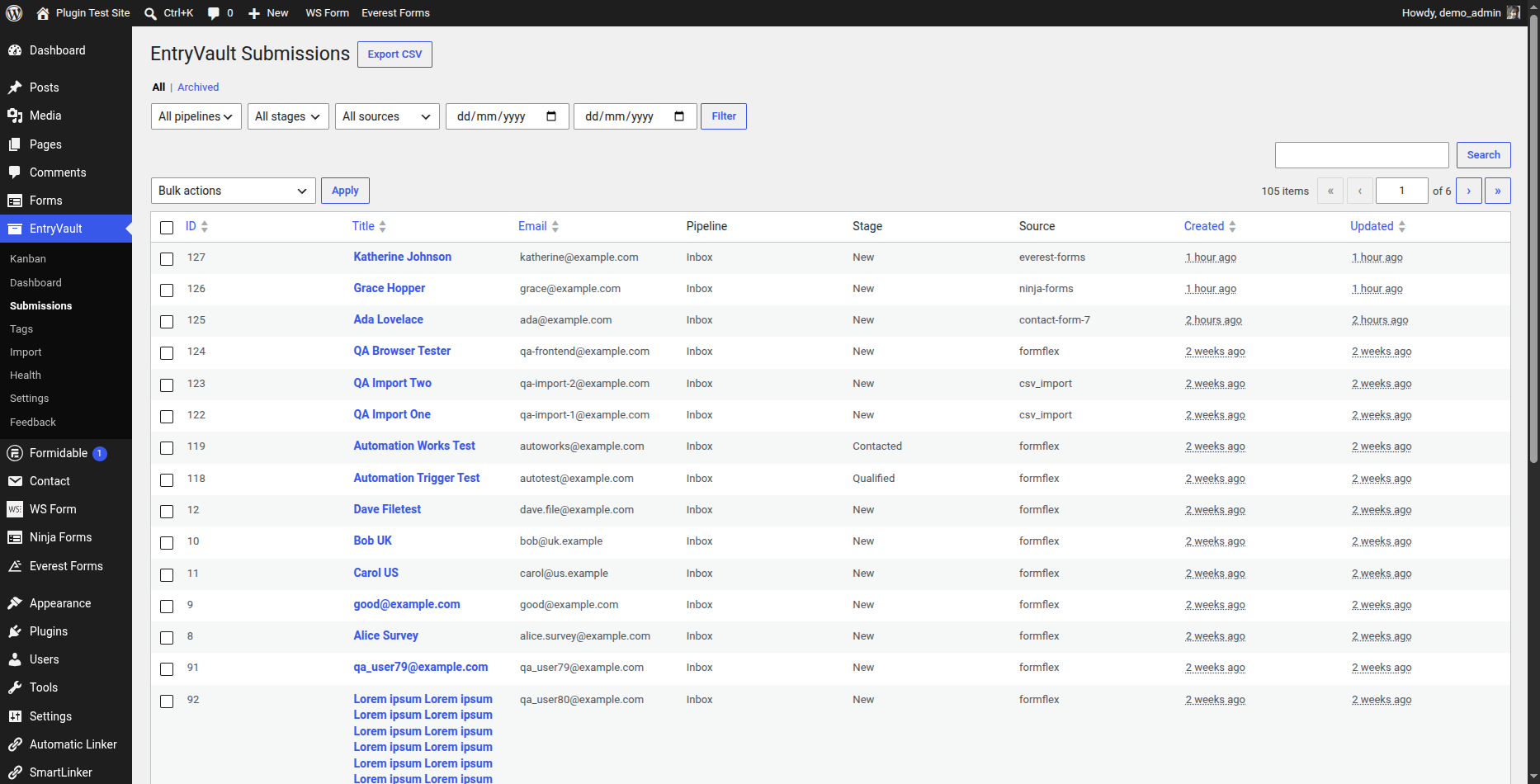
Full disclosure: EntryVault is ours. It captures from seventeen builders into one board, so the export is one file with a Source column instead of three files to reconcile. It is worth adding for that, for tags and stages on entries, and for filtering by an arbitrary date range rather than whole months. It is not worth adding if you run one builder that already exports well — Fluent Forms users in particular already have everything this section describes.
The bottom line
Check your builder’s entries screen first — most of them already store and export, free, and that is the end of the job. If you are on Contact Form 7, install Flamingo. Reach for a cross-builder tool only when you genuinely have more than one builder to reconcile. Whatever route you take, run the five-gotcha test entry before you trust an export.
Frequently asked questions
Which WordPress form plugins store entries by default?
Most of the big ones: Fluent Forms, Gravity Forms, Formidable, Ninja Forms, Everest Forms and WS Form all keep submissions and offer a CSV export. WPForms puts entries and export in its paid tiers. Contact Form 7 is the exception that catches people out — it stores nothing at all and needs a companion plugin.
How do I export WordPress form entries to CSV?
Use your form plugin’s own export first — it is free, already installed, and knows your field names. Open the plugin’s entries screen, set any filters you want, and look for an Export button; most builders export one form at a time and most exports respect whatever the screen is currently filtered to.
Why do accented characters break when I open the CSV in Excel?
Because Excel guesses the encoding. Exports are UTF-8, and double-clicking the file on Windows makes Excel assume the local codepage, which garbles accented and non-Latin characters. Open Excel first, use Data then From Text/CSV, and set the file origin to UTF-8. Google Sheets and LibreOffice handle it correctly on their own.
Why did the leading zeros vanish from my postcodes?
The spreadsheet read the column as numbers. This is spreadsheet behaviour rather than a form plugin bug, and it hits every export the same way. In the same import dialog, mark those columns as Text before the data lands. Once you have imported and saved, the zeros are gone and you have to re-import from the original file.
Does the export include uploaded files?
No. An upload field exports the URL of the file, not the file itself. If the entries or the uploads directory are cleaned out later, the CSV points at nothing. And unless uploads are protected those URLs are reachable by anyone holding the spreadsheet, which matters when people have uploaded CVs or ID documents.
How do I get entries from several form plugins into one export?
You cannot with the native tools, because each plugin only knows its own entries. Either export from each one and stitch the files together, or use a cross-builder entry manager that captures from all of them into a single list. It is only worth adding a tool for this if you genuinely run more than one form plugin.
Related reading
- How to export Contact Form 7 entries to CSV — the CF7-specific route, including very large archives
- Exporting WordPress posts to CSV — the same job for your content instead of your form entries
- Migrating form entries between plugins — moving stored entries when you switch form builders