JnK Plugins
Gravity Forms vs Contact Form 7: When to Upgrade? (2026)
Almost everyone starts with Contact Form 7. It’s free, it’s everywhere, and for a contact page it’s enough. Then the site grows — you want to take payments, or build a multi-step application form, or you’re simply tired of writing bracket tags into a textarea — and you start looking at Gravity Forms.
Gravity Forms starts at $59/year for a single site and climbs from there once you want the add-ons that make it powerful. So the real question isn’t which is better — it’s whether your situation justifies the spend, or whether something in between fits better.
How we compared: Contact Form 7 6.1.6 (and our own Trinity Forms) were tested hands-on on a WordPress 7.0 / PHP 8.4 site in July 2026. Gravity Forms is a paid product with no free build, so its assessment is desk research from its published documentation and pricing — we’ve kept its claims to things you can verify on gravityforms.com, re-checked on 16 September 2026.
Why people stay on Contact Form 7
- There is no paid tier. No renewal, no licence key, no feature you can see but can’t use.
- You already know it. Most WordPress users have configured a CF7 form at some point.
- The add-on ecosystem is huge. Entries via Flamingo, conditional logic via a third-party plugin, extra spam protection via another. You can assemble something capable for £0 if you don’t mind maintaining several plugins.
That last point is the honest catch. CF7’s power comes from add-ons written by different authors on different release schedules — and the base plugin still doesn’t store submissions at all, so at minimum you’re running two plugins before you have a form that remembers anything.
When Gravity Forms genuinely earns the money
Gravity Forms is the enterprise default for WordPress forms, and there are situations where nothing else is a sensible answer:
- You’re taking payments. Stripe, PayPal and subscription billing tied to form submissions, properly supported. If money changes hands on your form, this is the strongest argument for paying.
- Genuinely complex conditional logic. Multi-page forms where later pages depend on earlier answers, calculated fields, dynamic pricing. Building this on CF7 is possible and miserable.
- You need someone accountable. When CF7 breaks you post in a public support forum and wait. With a Gravity licence you have a support contract — for client work, that alone can justify it.
- Deep integrations. CRMs and marketing platforms (Mailchimp, HubSpot and the like), webhooks, its own REST API. The add-on catalogue is the real product.
- Entries are native. Unlike CF7, Gravity Forms stores every submission in your database out of the box, with a searchable entries screen — no add-on required. For an agency handing a site to a client, that alone removes a whole category of “where did the enquiry go” tickets.
Do note that the headline $59 covers the basic licence — several of the add-ons above sit in higher tiers, so price the plan against the features you actually need rather than the entry price. Checked on gravityforms.com on 16 September 2026, the tiers break down like this:
| Tier | Price / yr | Sites | What it unlocks |
|---|---|---|---|
| Basic | $59 | 1 | Core builder, native entries, and the email marketing and spam add-ons (Mailchimp, HubSpot, ActiveCampaign, Brevo, Kit, reCAPTCHA, Turnstile and more) |
| Pro | $159 | 3 | Payment add-ons (Stripe, PayPal Checkout, Square, Mollie) plus Zapier, Slack, Twilio, Dropbox and Trello |
| Elite | $259 | Unlimited | Everything, including user registration, conversational forms, partial entries, polls, surveys, signatures, webhooks and priority support |
So the realistic “I’m taking payments” price is the Pro tier, not the $59 headline — confirm the current add-on/tier mapping on the vendor’s pricing page before buying, because it has moved between tiers before.
When it doesn’t
If you’re upgrading because CF7’s interface annoys you, you’re about to pay $59 a year to solve a user-interface problem. That’s a real problem — bracket syntax is genuinely unpleasant — but it’s the cheapest of the reasons to switch, and the one with the most alternatives.
Equally, if the trigger is “I want to see my submissions in the dashboard”, that’s a storage problem, not a form-builder problem, and Flamingo or EntryVault solves it for nothing. See saving Contact Form 7 submissions to the database.
Side by side, with sources
Each cell names the cheapest Gravity Forms tier that includes the feature. Contact Form 7 is free with no tiers and we tested it on our own site; Gravity Forms has no free build and we did not buy a licence, so its column is read from its own pricing pages, with anything they do not settle labelled. Read 17 and 18 September 2026.
✓ included✓ Pro+ only from that tier up~ partly (catch noted)✗ not availablenot tested hands-on paid screen we did not buy
Getting started6 rows
| Feature | Gravity Forms (paid only) | Contact Form 7 (free) |
|---|---|---|
| Free version you can install | ✗ No | ✓ Yes |
| How you build a form | Field list and a settings panel | Form-tags and HTML in a textarea |
| Conditional logic | Basic | ✗ No |
| Multi-page forms | Basic | ✗ No |
| File uploads | Basic | ✓ Yes |
| Calculations | Basic | ✗ No |
Submissions5 rows
| Feature | Gravity Forms (paid only) | Contact Form 7 (free) |
|---|---|---|
| Submissions stored, with CSV export | Basic | No; the free Flamingo plugin adds storage |
| Notes on a submission | Basic | ✗ No |
| Surveys, polls and quizzes | Elite | ✗ No |
| Partial entries (form abandonment) | Elite | ✗ No |
| Personal-data export and erase tools | Basic | not tested hands-on |
Payments and integrations6 rows
| Feature | Gravity Forms (paid only) | Contact Form 7 (free) |
|---|---|---|
| Stripe card paymentsContact Form 7's Stripe doc: "No additional fee is required to use this module." Gravity Forms puts Stripe on its Pro tier. | Pro | Built-in module, no fee |
| PayPal and Mollie | Pro | ✗ No |
| Email marketing integrations | Basic | Brevo and Constant Contact modules |
| Zapier and outgoing webhooks | Zapier Pro, webhooks Elite | ✗ No |
| Create posts or users from a submission | Posts Basic, users Elite | ✗ No |
| Spam protection | Basic | ✓ Yes |
Cost and scale4 rows
| Feature | Gravity Forms (paid only) | Contact Form 7 (free) |
|---|---|---|
| Price, 1 site | $59/yr (Basic, no Stripe) | Free, no paid tier |
| Cheapest licence with Stripe | $159/yr, Pro, 3 sites | Free |
| Refund window | 30 days | n/a |
| Active installs | not tested hands-on | 10+ million |
Sources (9)
- Gravity Forms: https://www.gravityforms.com/pricing/
- trinity-forms: https://jnkplugins.com/trinity-forms/pricing.php
- Contact Form 7: https://wordpress.org/plugins/contact-form-7/
- Gravity Forms: https://www.gravityforms.com/features/
- Contact Form 7: https://contactform7.com/editing-form-template/
- Contact Form 7: https://contactform7.com/save-submitted-messages-with-flamingo/
- Gravity Forms: https://docs.gravityforms.com/gform_notes_avatar/
- Contact Form 7: https://contactform7.com/stripe-integration/
- Gravity Forms: https://www.gravityforms.com/refund-policy/
The middle ground: Trinity Forms
Disclosure: Trinity Forms is our plugin, and free to install from us.
It’s built for the large group of people who have outgrown CF7’s syntax but aren’t running an application platform. In the free version:
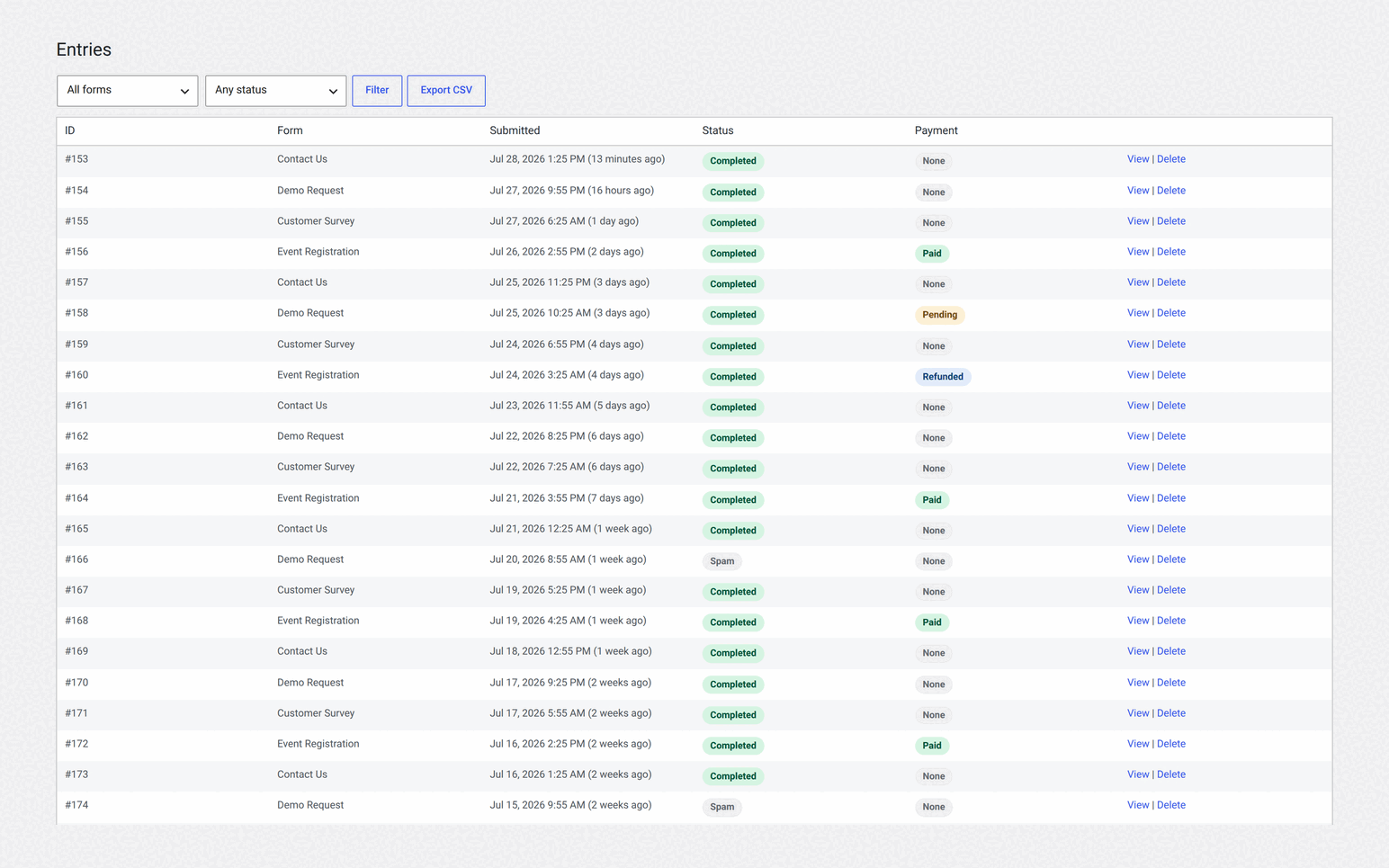
- Entries are stored and readable — a proper Entries screen, no add-on, no upgrade.
- Conditional logic included.
- Built on the block editor, so forms are built with the same interface as your pages — plus an optional visual builder since 2.0, off by default.
And clearly: payments, signatures, calculations and third-party integrations are Pro (from $49/year, or pay once for a lifetime licence — the lifetime price is 4× the yearly one, available on every tier). If your reason for leaving CF7 is that you need to take payments, Gravity Forms and Trinity Forms both want money from you; compare them on features, not on the word “free”.
The verdict
- Stay on Contact Form 7 if your budget is genuinely zero and you’re comfortable running add-ons. Add entry storage today regardless.
- Upgrade to Gravity Forms if you’re taking payments, building complex multi-step logic, or need contractual support for client sites.
- Look at Trinity Forms if you want a modern editor, readable entries and conditional logic without a subscription, and don’t need payments or advanced fields.
More context in the best WordPress form builder plugins, and if you’re weighing CF7 replacements specifically, our CF7 alternatives guide.
The bottom line
Upgrade to Gravity Forms for capability — payments, complex logic, accountable support — not for comfort. If what you actually want is a modern editor and entries you can read, that’s available without a subscription: Trinity Forms is free, and Contact Form 7 plus a storage add-on remains a perfectly respectable answer.
Frequently asked questions
Is Gravity Forms worth it over Contact Form 7?
It’s worth it when you need payments, complex multi-page conditional logic, deep CRM integrations, or guaranteed support for client work. If you mainly want a nicer building experience or a way to view submissions, cheaper or free options solve those specific problems without a $59/year commitment.
Can Contact Form 7 do conditional logic?
Not on its own. Conditional logic requires a third-party add-on such as Contact Form 7 Conditional Fields. It works, but it’s another plugin to maintain, and complex multi-page logic remains considerably harder to build than in a dedicated form builder.
How much does Gravity Forms cost?
Licences start at $59/year for a single site, with higher tiers for multiple sites and access to the more advanced official add-ons. Renewal is annual; features such as payment gateways and CRM integrations depend on which tier you buy, so price the plan against the add-ons you need rather than the entry-level figure.
Related reading
- Gravity Forms vs Formidable Forms — the other comparison people run before buying Gravity